Why multi-site visibility becomes difficult
A device that is easy to inspect in one office becomes expensive to troubleshoot across dozens of locations. Application reachability alone does not reveal whether the site has power, the network path has failed or the equipment is stuck. Keep connection state, last-data time, measured watts and service monitoring as separate signals.
Connection and last update
Use device-online status and the timestamp of the latest telemetry to establish data freshness.
Measured electrical behaviour
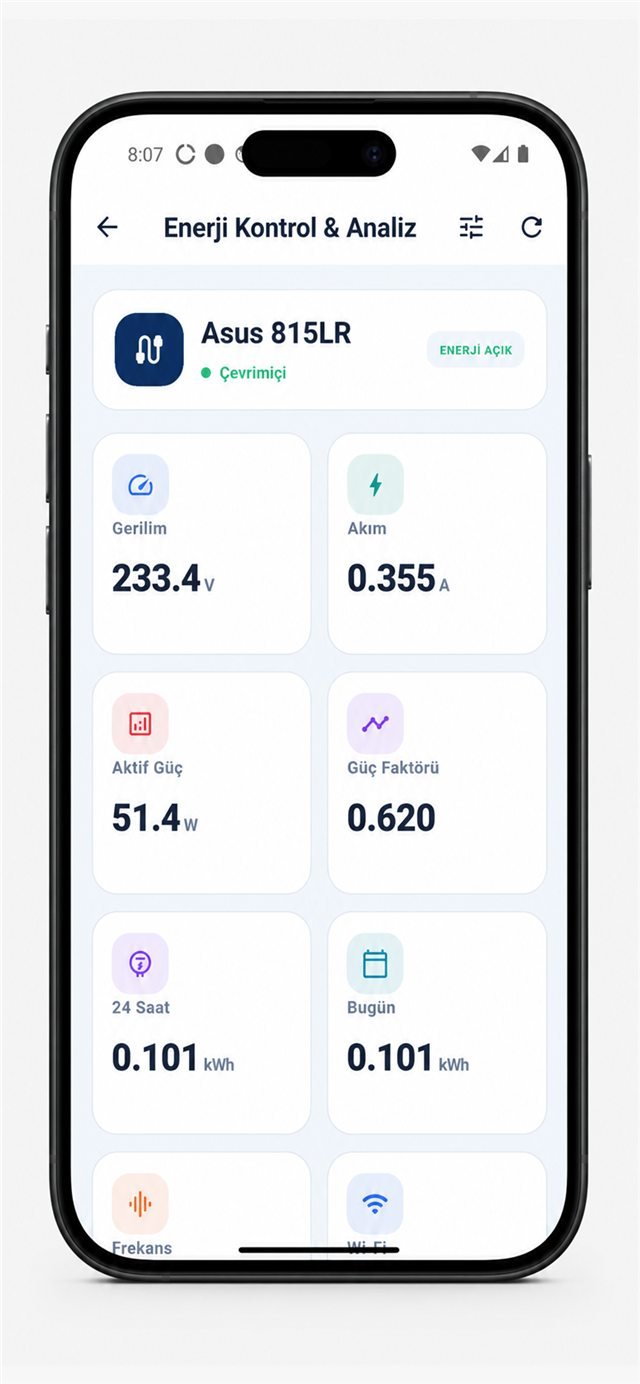
Voltage, current and active power help compare the device with its known normal range.
Controlled intervention
Only after software and supported management paths fail should relay control enter the runbook.
Post-action verification
Check new telemetry and application health; relay state alone does not prove recovery.
Use real device data, not a decorative dashboard
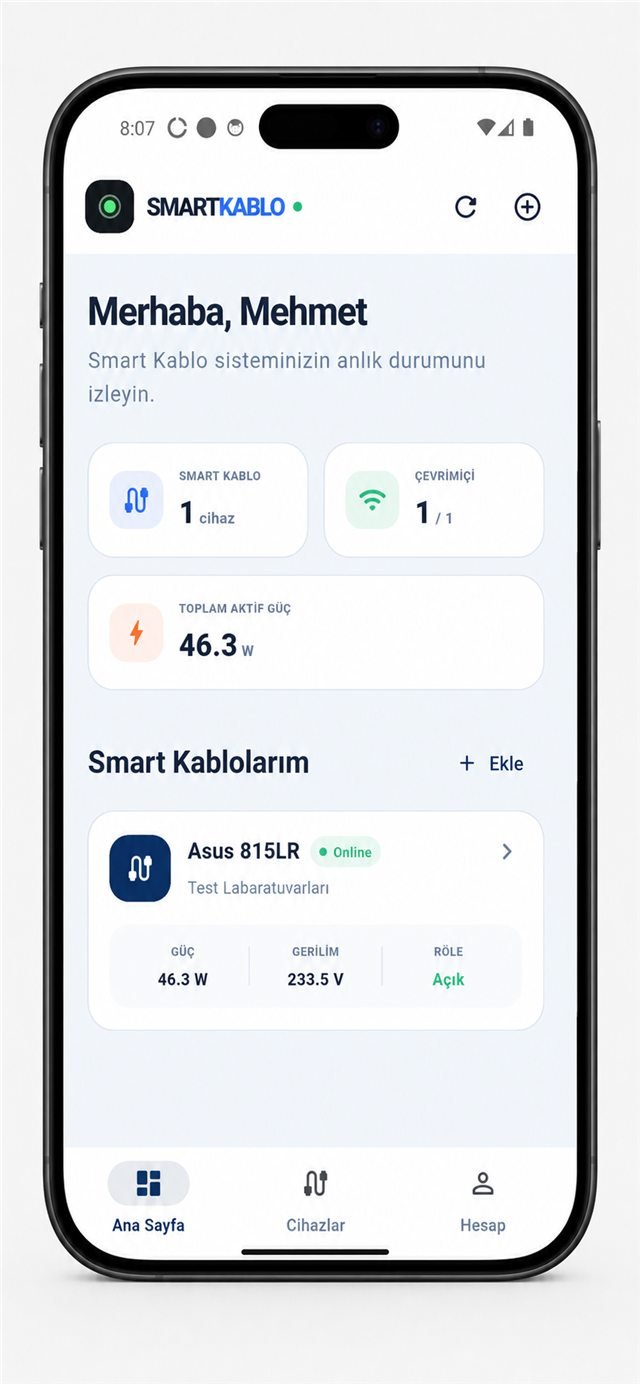
The following captures show measured fields presented in the current Smart Kablo mobile interface. Availability can depend on the deployed hardware, firmware, account and software version.
Move from the device list to electrical measurements.
What a 24-hour trace can show
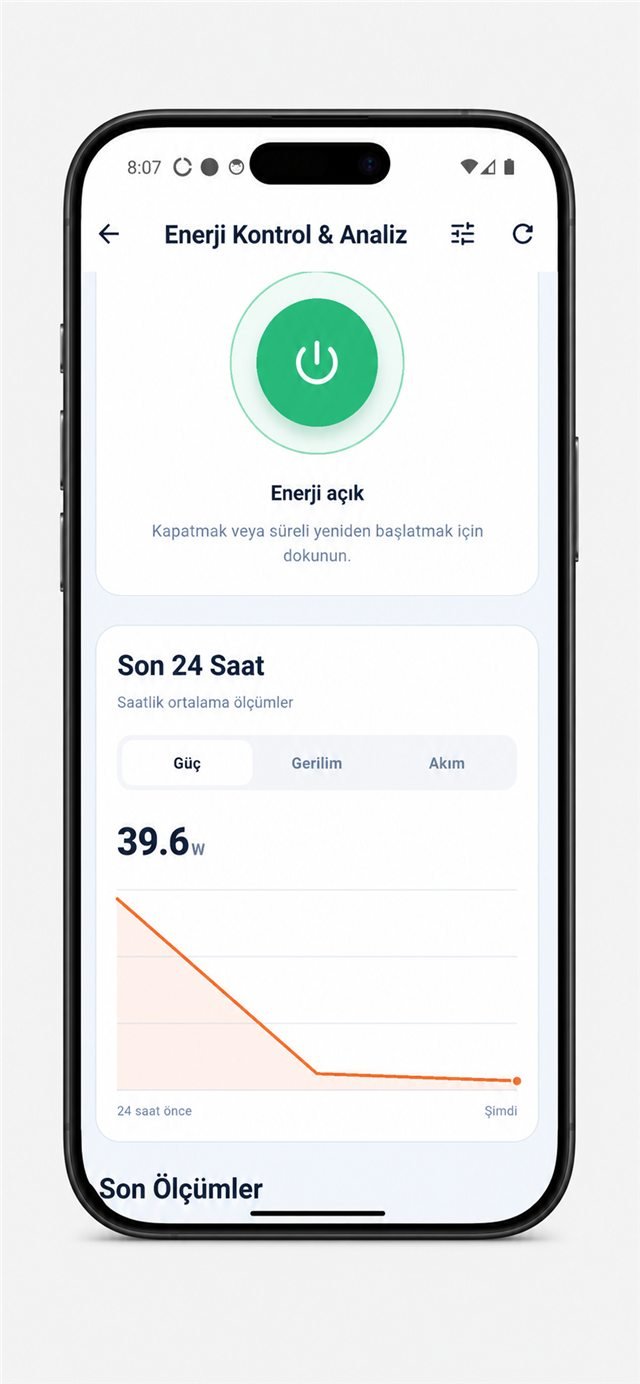
A single watt value describes only one instant. A time series helps identify working hours, idle periods, unexpected overnight load and the change around an intervention. Treat a graph as evidence for investigation, not as an automatic diagnosis.
A safe intervention sequence
- Confirm service, application and network alarms.
- Try RDP, SSH, the operating system and supported vendor management.
- Check backups, updates and active writes.
- Confirm the exact physical device and obtain authorisation.
- Use the approved off interval, restore power and verify both telemetry and service health.
Keep cloud and integration roles distinct
- Account-linked compatible devices
- Device state and available live measurements
- Recent-history views in the current application
- Authorised relay controls where supported
- Integration with an NMS or internal workflow
- Access only to fields supported by the exact version
- Organisation-owned retention and reporting
- Network and credential controls managed by the technical team
Do not expose a local management interface directly to the public internet. Confirm authentication, transport, network segmentation and endpoint availability against the current documentation for the deployed version.
Start with a representative pilot
Select five to ten devices across different load types and locations. Observe at least one normal operating cycle. Define names that include site and function, baseline normal power ranges, assign authorised users and test the escalation path during a maintenance window.
- Verify connector, voltage and the 5 A continuous-current limit.
- Record the exact device and cable mapping.
- Test data freshness during a network interruption.
- Test BIOS/UEFI AC-restoration behaviour on a non-critical load.
- Document what the platform does not monitor.
Is Smart Cloud a full DCIM platform?
No. It provides a focused view of compatible Smart Kablo devices and should not be presented as a replacement for every DCIM, NMS or facility system.
Can it automatically recover every remote device?
No. Health decisions and recovery workflows require external operational logic, authorisation and verification.
Can every load be connected?
No. Electrical, connector, 5 A continuous-load and operational compatibility must be checked for each device.