WOL, remote desktop and AC Recovery compared
| Method | Can start a powered-down PC? | Main dependency |
|---|---|---|
| Wake-on-LAN | Often from supported sleep/soft-off states | Standby power, NIC, firmware, OS and network path |
| Remote desktop | No | The PC and remote-access service must already be running |
| AC Recovery | Can start after AC returns, if supported and configured | Exact BIOS/UEFI behaviour and a controlled power path |
Turn on a PC with Wake-on-LAN
WOL sends a magic packet to a network interface that remains powered in a supported low-power state. Enable it in BIOS/UEFI and in the network adapter or operating-system configuration as required. Confirm the Ethernet path, VLAN, broadcast or routed wake design, security policy and the device's behaviour after a full power loss.
- Use the exact wired NIC and record its MAC address.
- Enable the vendor-documented firmware wake option.
- Configure the operating system and driver power settings.
- Test from each intended sleep or shutdown state.
- Avoid exposing an unauthenticated wake service directly to the internet.
Why remote desktop cannot start an unpowered PC
RDP, VNC and similar tools require a running operating system, network stack and agent. They are useful after WOL or AC Recovery has started the computer, but they cannot restore missing input power or execute before firmware and the operating system boot.
Use BIOS/UEFI AC Recovery when appropriate
Settings such as Restore on AC Power Loss or After Power Failure tell the motherboard what to do when input power returns. Choose Power On only after testing the exact machine. Last State can behave differently across boards and failure modes. Firmware start is not application recovery: encryption prompts, failed storage and services still need monitoring.
Where an inline power controller fits
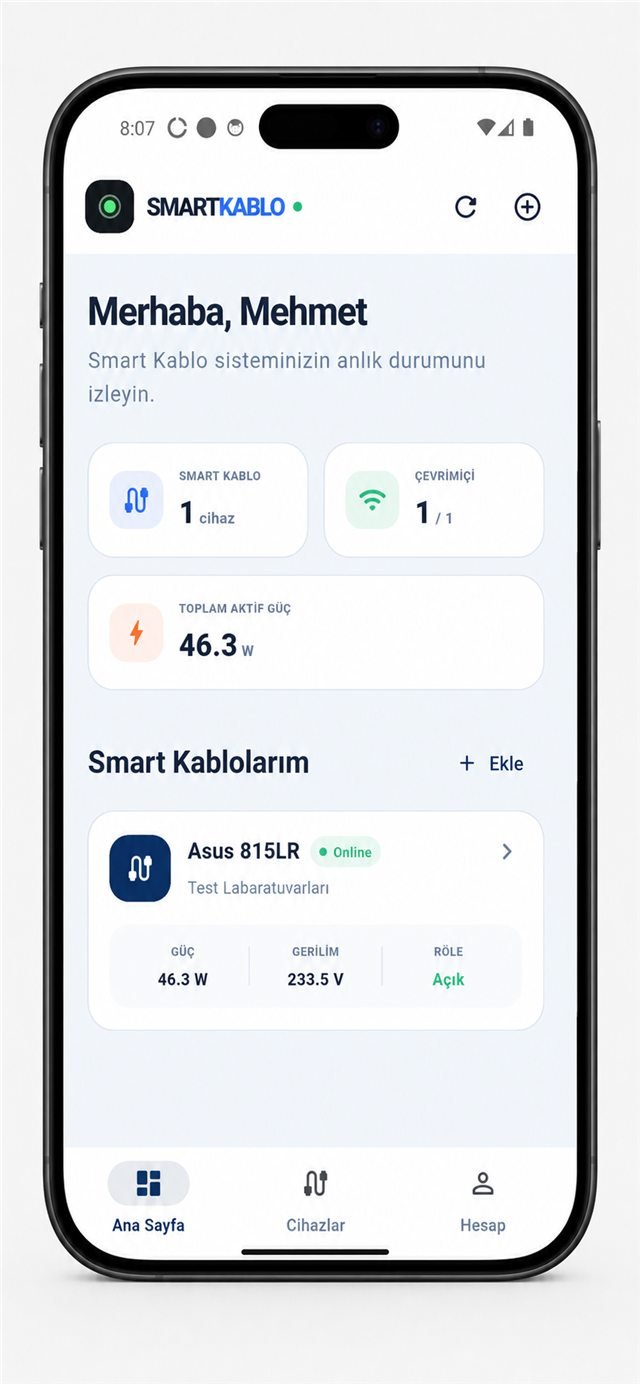
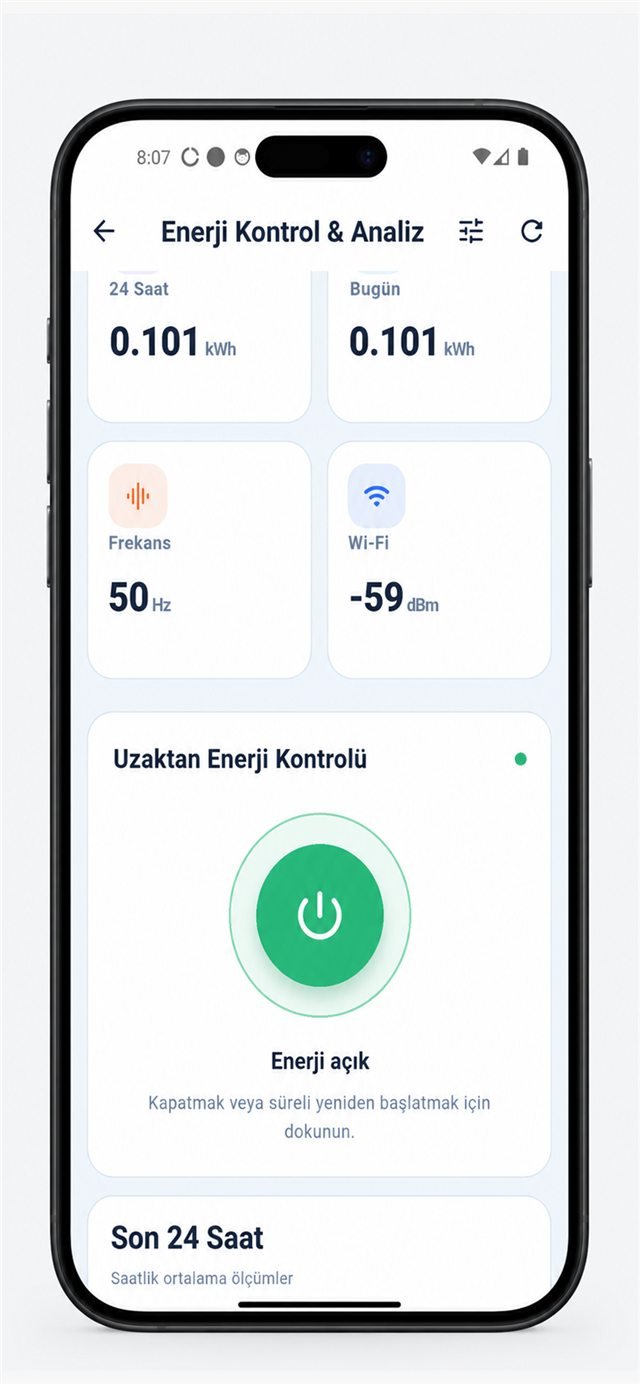
For compatible equipment, Smart Kablo can provide measured electrical context and an authorised way to remove and restore AC input. This can support a tested AC Recovery workflow. It cannot issue a graceful operating-system shutdown, change firmware settings or press the PC's logical front-panel button.
Check state before applying a power action.
Electrical compatibility and safety
The load must remain within the 5 A continuous-current limit. Verify source outlet, equipment inlet, voltage, frequency, protective earth, steady current and startup current. A Schuko-to-C13 configuration may suit some desktop equipment, but it is not universally suitable for every country, circuit or PC.
Secure the remote path
Place WOL gateways, management interfaces and relay controls behind an organisation-managed VPN or equivalent controlled access. Use unique credentials, least privilege, logging and multi-person approval for critical equipment. Do not assume the device performs health-based automatic recovery unless that external workflow has been deliberately engineered and tested.
Troubleshooting checklist
- If WOL fails, check standby power, NIC LEDs, firmware, driver settings and network delivery.
- If power returns but the PC stays off, review the AC-recovery setting and test from a full mechanical-off state.
- If the PC starts but is unreachable, inspect boot, encryption, DHCP/VLAN, firewall and remote-access service state.
- If measured power is unexpected, stop and verify the physical cable-to-device mapping.
Which method is best?
Use WOL when it is supported and reliable because it does not require removing input power. Use AC Recovery only for a tested requirement.
Can WOL work after a site-wide outage?
Only if the PC, NIC and network return to a supported state. Some systems lose wake capability after complete AC loss.
Can Smart Kablo guarantee the PC will boot?
No. It can control compatible input power; the PC's firmware, storage, encryption and operating system determine the boot outcome.