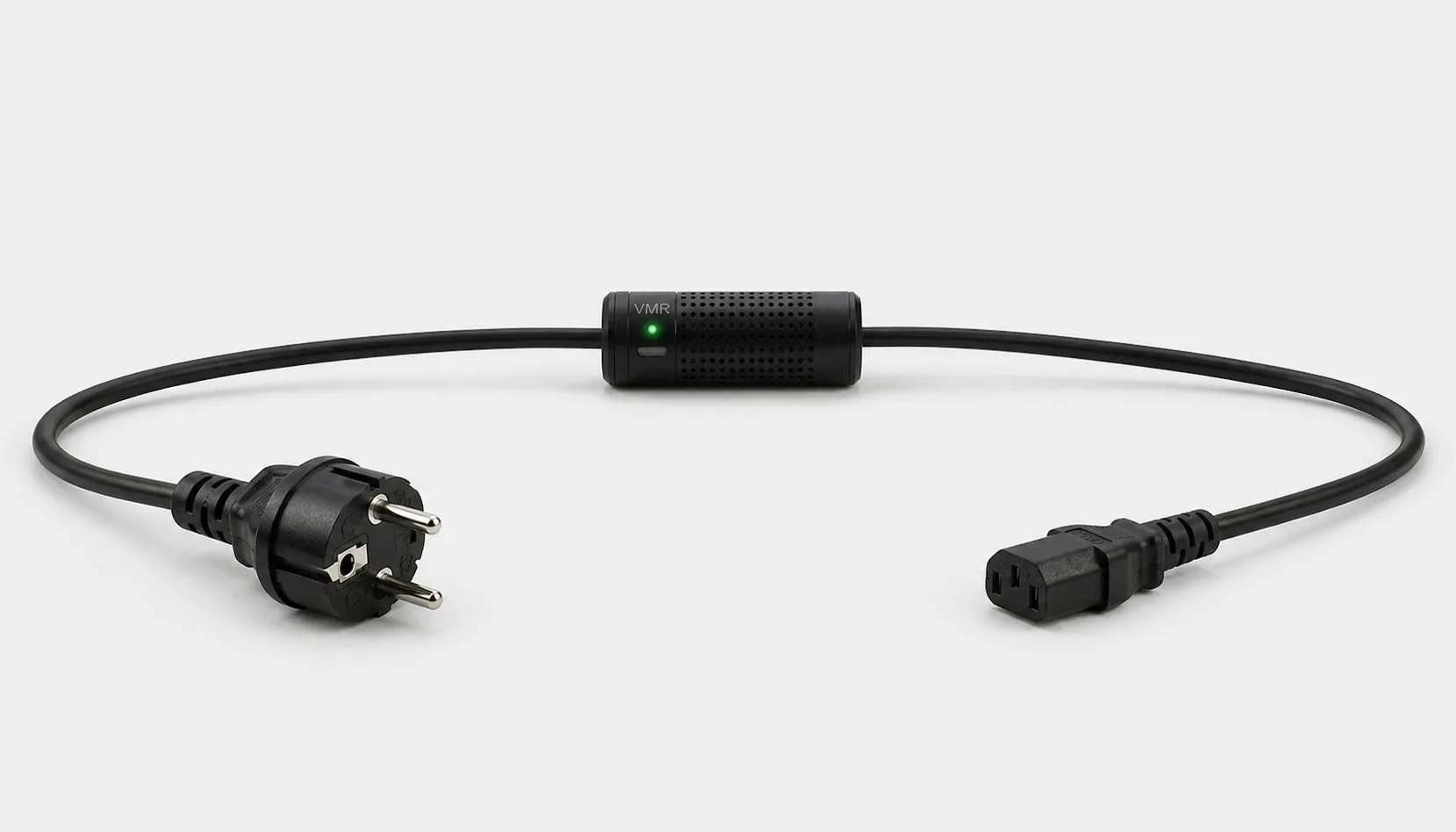
Consider a suitable plug-in electricity meter for a single plugged-in appliance, or Smart Kablo for compatible C14-inlet IT equipment. Measuring a circuit or an entire building requires a panel solution appropriate for the installation. A watt display alone is not enough: the measurement point, connector, phase arrangement, current limit and kWh records must all suit the job.
Are you measuring one device, a circuit or the whole home?
A meter sees the consumption passing through its measurement point. Measuring only a computer tower does not include the monitor. If several devices share the same measurement point, you see their combined consumption; that total does not tell you how much each one uses.
Monitoring a room or a protected circuit requires measurement at an appropriate point on that circuit. A whole-home solution must cover the relevant electrical installation. A meter on one appliance does not show consumption on the other circuits. Likewise, measuring only one feed to a dual-power-supply server may not capture the server’s total consumption.
Compare four measurement approaches
| Option | Suitable need | Before buying |
|---|---|---|
| Plug-in wattmeter with a display | Local readings and short measurement studies on a compatible appliance | Plug standard, load limit, active power and kWh counter |
| Energy-monitoring smart plug | Track suitable equipment’s consumption through an app | Actual measurement support, recording period, load and access requirements |
| Smart Kablo | Measurement through the power cable of compatible C14-inlet equipment | Source connector, C14 equipment inlet, 5 A continuous limit and startup load |
| Panel meter or current-transformer system | Track consumption across a circuit, phase or electrical installation | Phase arrangement, direct or CT measurement, mounting and qualified installation |
Not every smart plug measures energy; some only switch the supply. If measurement is your priority, look for W and kWh support in the specifications. The smart plug and smart power cable comparison explains the connections, while the plug-in electricity meter guide covers taking local readings.
What do A, V, W, power factor and kWh mean?
Amps (A) describe current, while volts (V) describe voltage. Watts (W) show active power at a particular moment; kWh describes energy used over time. For comparing a device’s daily consumption, an energy record is more useful than a single instantaneous watt reading.
Power factor expresses the relationship between active and apparent power. Multiplying volts by amps therefore does not give active watts for every load. A clamp meter displaying only current is not equivalent to a meter measuring power and energy. Check which quantities your chosen model actually measures.
How do you check the connection and load?
- Identify the source and equipment inlet separately. Record the wall socket, UPS or PDU outlet type and the equipment’s own inlet. A physical fit does not establish complete electrical compatibility.
- Read the nameplate current. Assess startup load as well as the continuous limit. A 750 W rating on a computer power supply is not the power the PC constantly draws from the socket.
- Check the measurement range. For small standby loads, the lower measurement range, resolution and manufacturer’s stated accuracy conditions matter. Extra digits on a display are not proof of accuracy.
- Confirm the environment and mounting conditions. Follow the specified conditions for socket clearance, cable routing and panel use. Do not try to solve an unsuitable connection with a chain of adapters.
When do you need a panel meter or current transformer?
A panel energy meter may be more appropriate for a circuit with several fixed loads or for an entire installation. A product may support different connection arrangements for single-phase and three-phase systems. Decide which conductors or circuits need measurement and what combined data you require before selecting it.
A current transformer, or CT, supplies current information to a suitable measurement system. Recording active power and energy also requires the system’s other necessary measurements. Select the meter, sensors and ratio settings together. Panel selection, installation and commissioning should be performed by qualified electrical personnel. This is a different installation from a meter that connects at an appliance’s plug.
Which measurement needs suit Smart Kablo?
Smart Kablo can be considered for compatible PCs, monitors and IT equipment when you need voltage, current, active power, power factor and energy records. Current C13-output models connect to the equipment’s C14 inlet, and all have a 5 A continuous-current limit. The equipment’s nameplate and startup load must also suit the selection.
For a grounded Schuko wall socket, review the Schuko–C13 model; for a C13 female UPS/PDU outlet, review C14–C13. Smart Kablo is not intended to measure an entire home or connect directly to every plugged-in appliance. If remote supply control is also needed, see the WiFi smart plug guide. Shut a running computer down safely through its operating system before interrupting power.
Confirm your choice with a small measurement study
Begin with one question: “How much energy does this computer use over the weekend?” or “What does this device consume on a normal working day?” Record the measurement scope, start time and equipment included. You can then compare later readings under the same conditions.
If a kWh counter starts at 18.200 and finishes at 19.450, consumption during that period is 1.250 kWh. Do not use the difference directly if the counter has reset, the equipment has changed or records are missing. These figures are only a reading example. For a cost calculation, apply the relevant unit rate from your own bill to the measured energy.
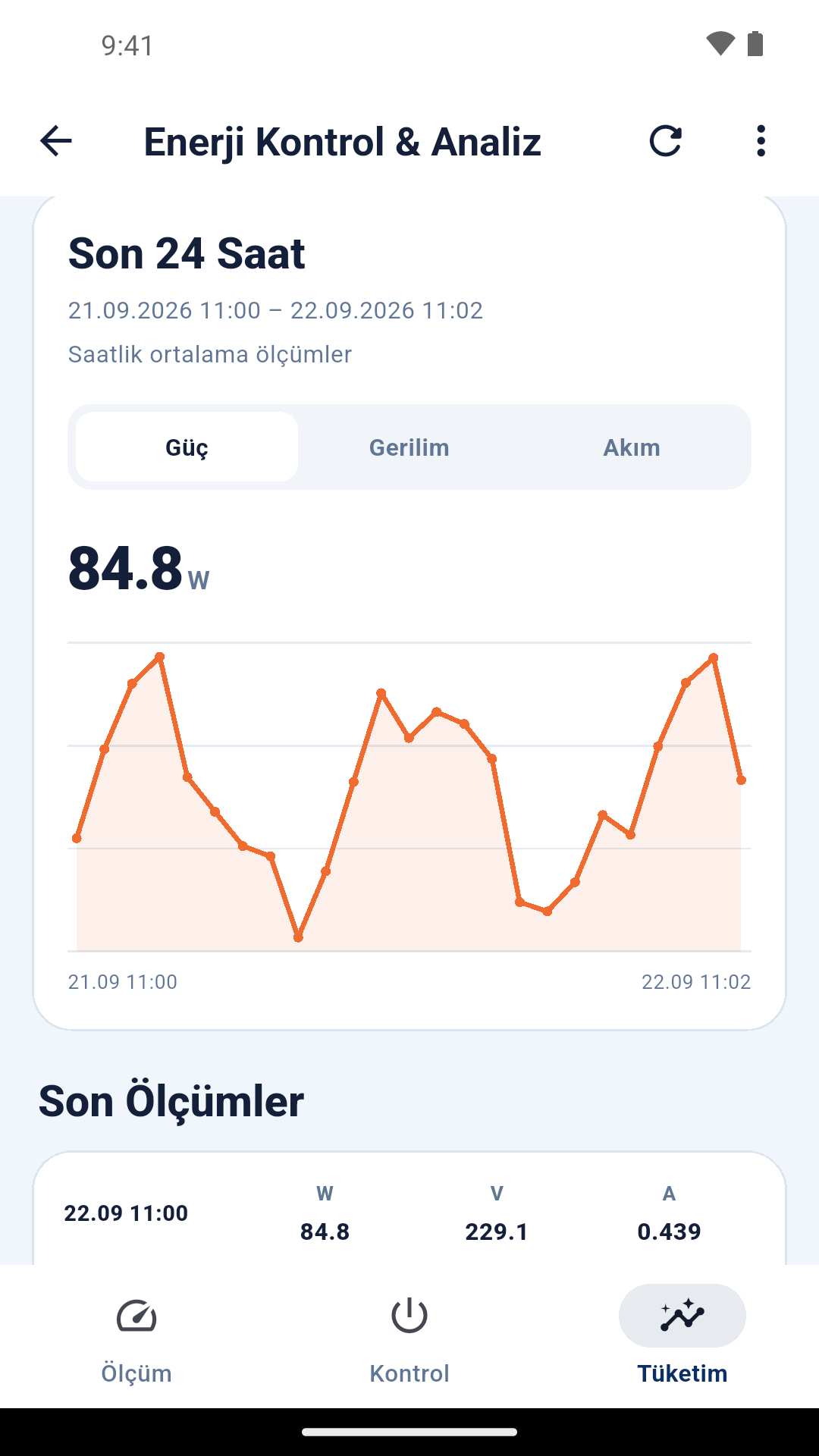
Before buying, check recording frequency, the available history period and export options. An hourly average graph may not show very short changes separately. See the WiFi power meter guide for reading consumption records or the WiFi current meter guide for current monitoring.
Also check the product documentation to learn whether the cumulative energy counter survives a power cut. The total counter on screen, daily graph and downloaded records may cover different periods. Do not compare values belonging to different intervals. Confirming that a short trial delivers the data you need is useful before installing many measurement points.
Three needs, three starting points
I want to know what one appliance uses at home
For a compatible plug and load, you can begin with a plug-in meter with a display. Choose an energy-monitoring model if you want records in an app. You do not need to prioritise continuous recording when it serves no purpose for your measurement.
I want to monitor office computers individually
Each device needs its own measurement point. Smart Kablo can be considered for suitable C14-inlet equipment. Record whether you include the monitor and the period for which you observe the same device.
I want the total for my home or workplace
Request an assessment of a panel solution suited to the installation’s phases and circuits. Monitoring the total does not separate the consumption of individual devices. Additional device-level measurement may be needed to identify the loads responsible.