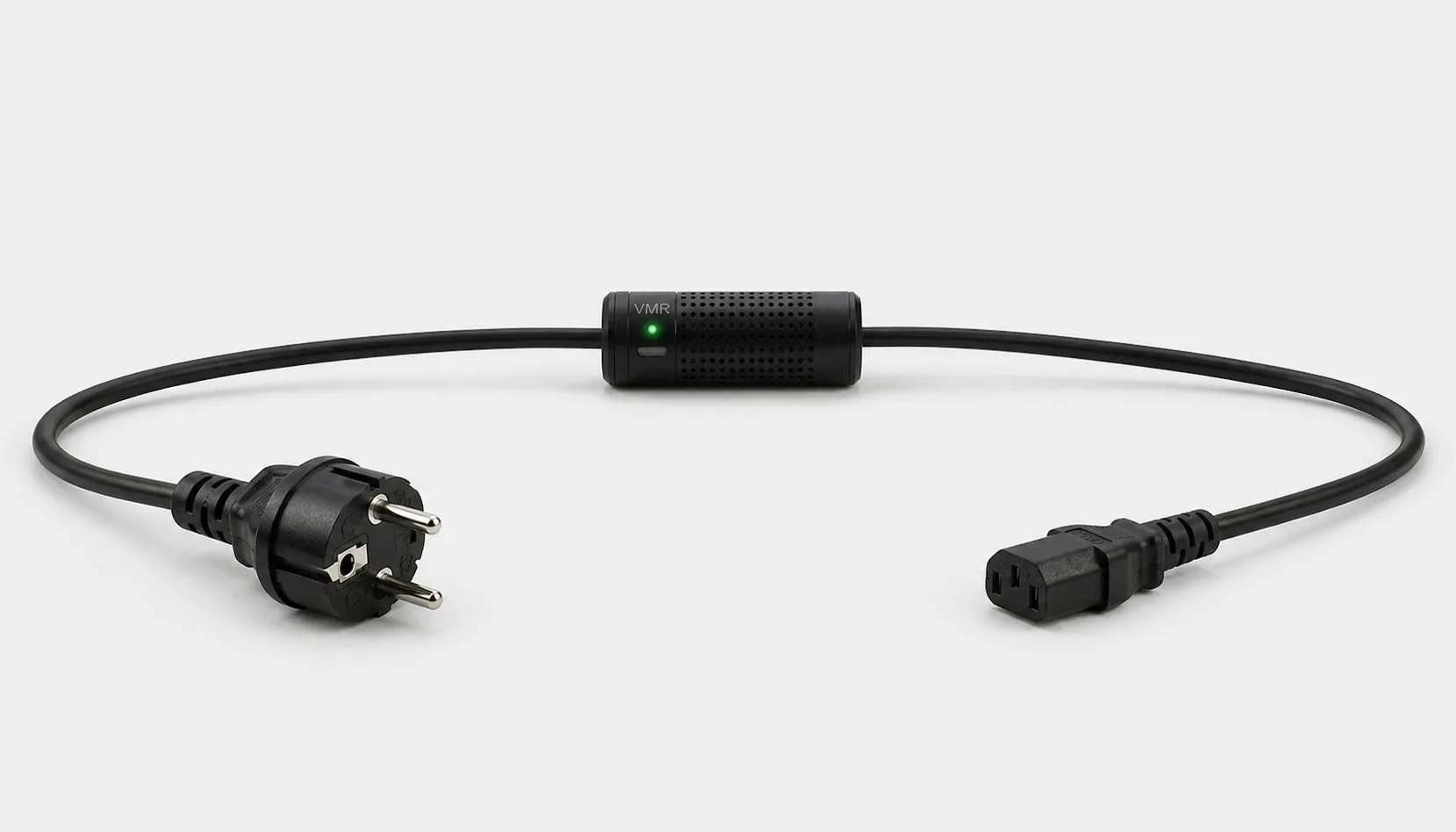
When choosing a WiFi power meter, look beyond the instantaneous watt display. Active power measurement, kWh records, access to historical data and the equipment connection all matter. Smart Kablo is an alternative for compatible C14-inlet equipment within its 5 A continuous limit, offering Wi-Fi monitoring, remote relay control and a documented REST API.
What does a WiFi power meter do?
A conventional wattmeter requires you to read the value beside the equipment. A WiFi-enabled meter makes data available through a supported app or interface. Energy-monitoring smart plugs and inline cable meters meet this need through different connections. Not every WiFi plug is a power meter; some only switch power on and off.
Remote consumption monitoring is useful for computers and IT equipment that remain powered for long periods. You can see how power changes as the workload increases and whether the device really enters a low-consumption state overnight. Wi-Fi alone does not mean access from anywhere: the access method, network connection and authorisation must also be suitable.
Compare measurement approaches in the energy meter selection guide, or examine one computer’s daily usage with the PC power-consumption calculator.
Watts, kWh and VA describe different quantities
| Value | Meaning | What it tells you |
|---|---|---|
| W · active power | Electrical power being used at that moment | The difference between idle and loaded operation |
| kWh · energy | Total energy consumed during a period | Daily, weekly or monthly usage |
| VA · apparent power | RMS voltage multiplied by RMS current | One part of assessing the electrical load |
| Power factor | The ratio of active to apparent power | The relationship between W and VA |
Multiplying volts by amps alone does not establish active watts. W and VA differ when power factor is not 1. For energy costs, use the product’s measured active power or kWh record. For amp-focused monitoring and connection steps, see the WiFi current meter guide.
A 750 W computer power-supply label describes its output capacity, not continuous consumption. Actual power drawn from the wall changes with workload and power-supply efficiency. The measurement you need is the power the equipment takes from the mains.
Display wattmeter, energy-monitoring smart plug or Smart Kablo?
| Option | Suitable use | Selection point |
|---|---|---|
| Plug-in wattmeter with a display | Short measurement studies and local readings on nearby equipment | Displayed values, kWh counter and load limit |
| Energy-monitoring WiFi plug | App-based consumption monitoring on a compatible appliance; remote control where supported | W/kWh support, historical records and plug standard |
| Smart Kablo | Measurement through the power cable, remote supply management and API integration on C14-inlet equipment | Source connection, C14 equipment inlet and 5 A continuous limit |
For the product you select, check how long records are retained, whether they survive a power cut and whether they can be exported. See the smart plug or smart power cable comparison for more connection detail, or the plug-in electricity meter guide for local measurement basics.
Monitor PC and server consumption with Smart Kablo
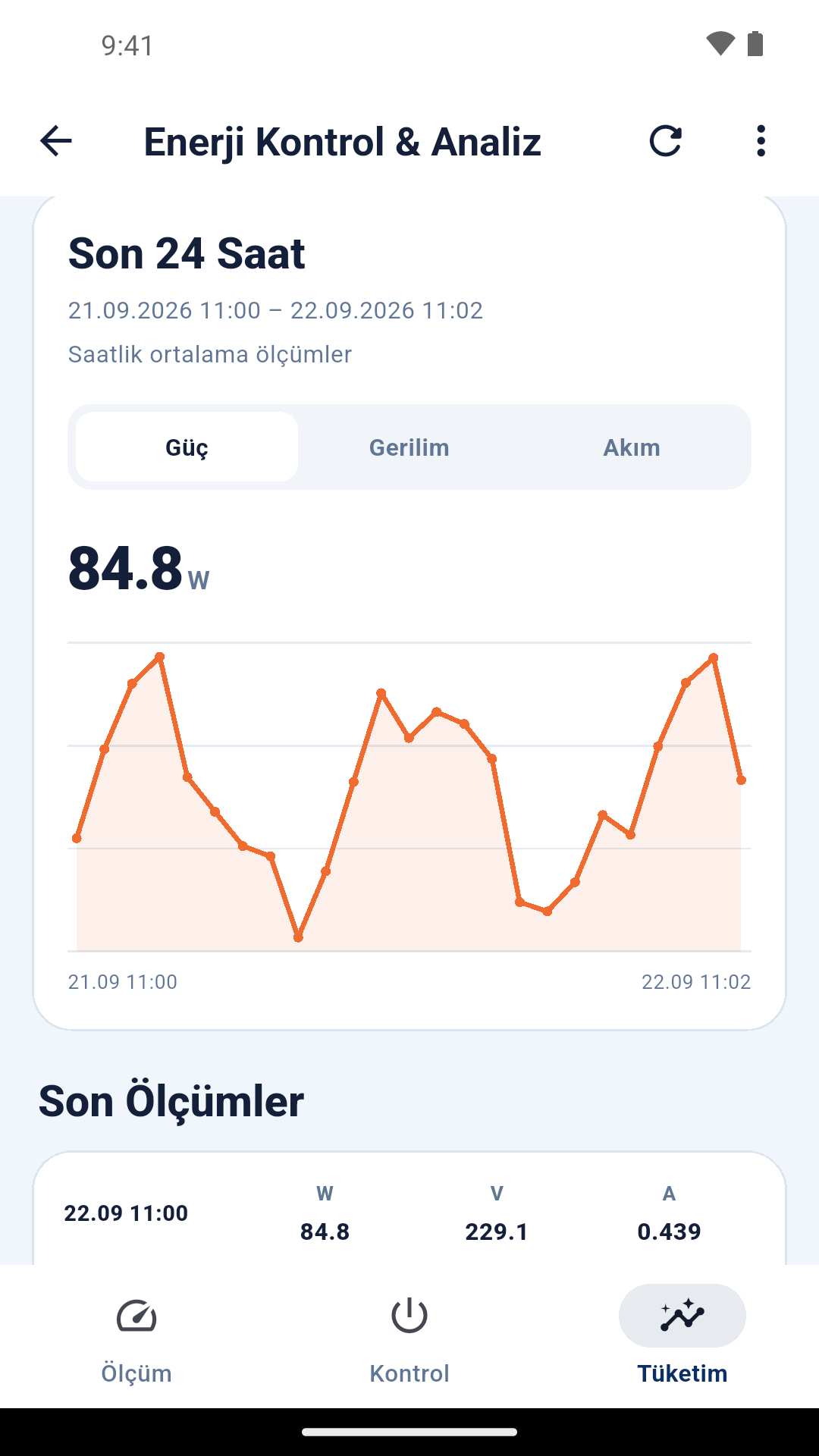
Smart Kablo monitors voltage, current, active power and power factor, and provides access to energy records. Bluetooth supports initial setup; Wi-Fi provides network communication. Review the mobile app’s measurement and consumption screens to assess the views you need.
For compatible PCs and monitors supplied from a Schuko socket, consider Schuko–C13; for a C13 female UPS or PDU outlet, consider C14–C13. A C14 equipment inlet is required. All current models have a 5 A continuous-current limit; nameplate current and startup load must also be suitable. On a dual-power-supply server, one cable’s reading may not represent the total device consumption.
If you are building your own monitoring system, the REST API guide (Turkish) documents live telemetry, hourly history and daily consumption within the monthly view. Confirm endpoint behaviour and recording scope against the installed version. Do not interpret the period shown by an app graph as unlimited data retention.
How should you read a week of consumption records?
- Define the scope. Record whether you are measuring only the PC tower or the workspace including a monitor. Keep that boundary unchanged in later comparisons.
- Observe a normal week. Include working days, overnight standby and the weekend. Do not multiply one watt reading by 24 hours when the device’s load varies.
- Match changes to activity. Note the times of backups, rendering and updates. An hourly average graph may not show very brief power spikes.
- Compare energy over the period. Use the difference between starting and final kWh counters, or daily energy totals for that same interval. Do not present incomplete records as a full week.
For example, after changing power-management settings, compare two weeks with similar workloads. Lower consumption in a quieter working week does not establish the saving caused by the setting alone.
Example: calculate cost from a weekly kWh record
Suppose a computer’s counter reads 42.100 kWh on Monday and 47.350 kWh at the same time one week later. Weekly consumption is 5.250 kWh. This is a calculation example, not a measured result for a particular PC.
5.250 ÷ 7 = 0.750 kWh/day on average
If the same usage pattern continues, approximate consumption over 30 days is 22.5 kWh. To estimate cost, multiply this by the applicable price per kWh from your bill. Check whether your rate includes tax and other charges; with a variable tariff, calculate the relevant periods separately.
A WiFi power meter makes consumption visible; it does not save energy by itself. Better sleep settings or less unnecessary standby may improve the result. Include the meter’s own consumption in a net assessment.
Calculate kWh and cost from two counter readings
Enter the starting and final cumulative energy readings in kWh. The result applies to the interval between those two readings. The initial values are calculation examples; use your own measurements and the applicable price per kWh from your bill. Select the currency matching the rate on your bill.
WiFi power meter FAQs
Does a WiFi power meter measure the whole home?
A plug-in or cable meter for one device measures the load supplied through it. Measuring the entire home requires a suitable main-supply measurement solution.
Can I calculate a monthly bill from an instantaneous watt reading?
An approximate calculation is possible if the load stays constant. For a variable load such as a computer, several days of kWh records are more meaningful; one instantaneous value may not represent the usage pattern.
Do I need to turn the computer off while Smart Kablo measures it?
The computer can operate normally during measurement. If you intend to cut its supply with the remote relay, first shut down the operating system and applications that write data safely.
Which is the best WiFi power meter?
The choice depends on your equipment. Consider the connection, load limit, active-power and energy records, access method and integration needs together. For suitable C14-inlet equipment, assess Smart Kablo against those requirements.