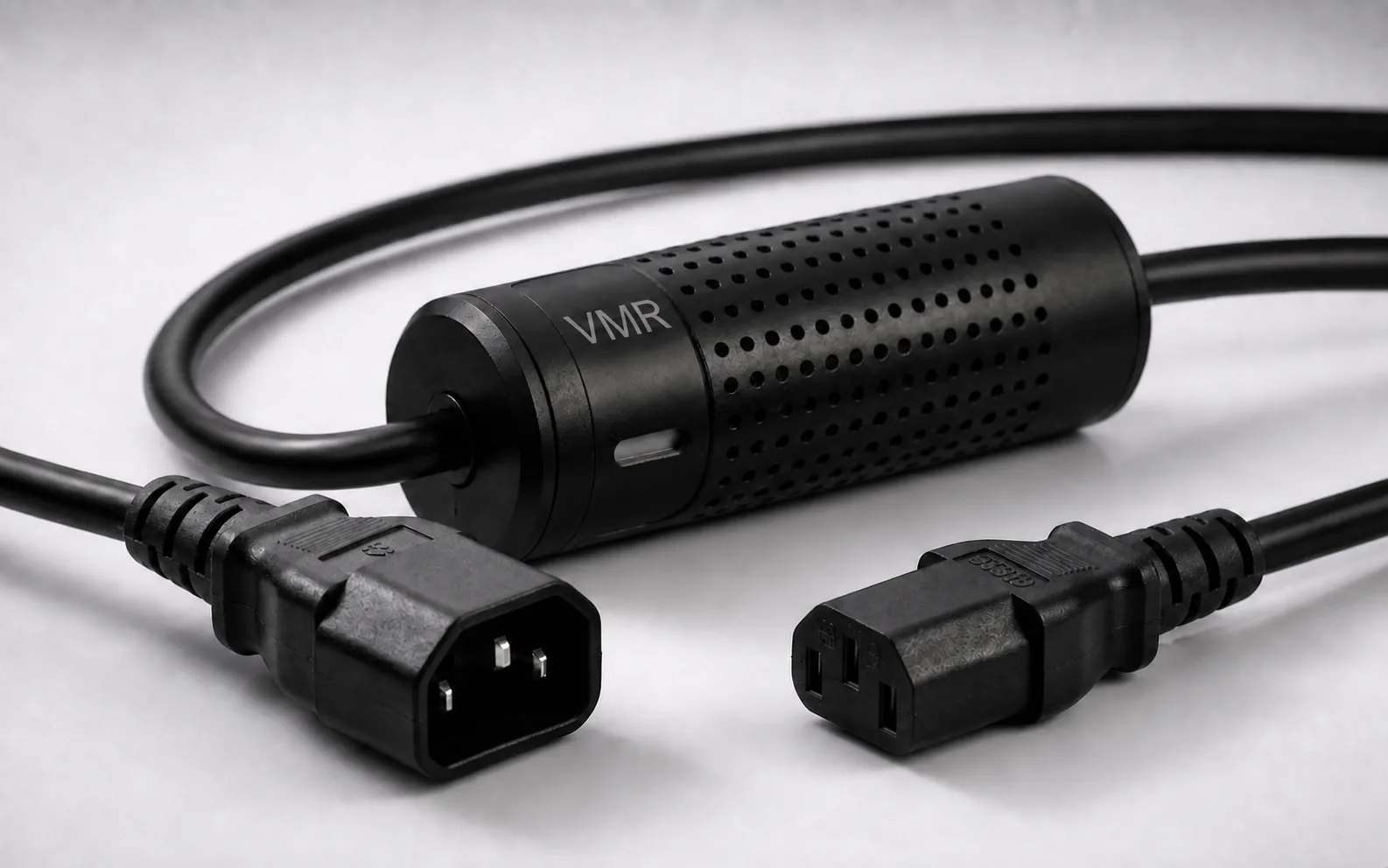
To read an appliance’s current draw remotely, choose a Wi-Fi solution that measures current and suits the connection. Smart Kablo provides current, voltage and power monitoring through the power cable of compatible C14-inlet equipment within its 5 A continuous limit. Bluetooth supports initial setup and Wi-Fi supports remote access; measuring an entire installation requires a different measurement point.
What does a WiFi current meter show?
Electrical current is measured in amps (A). The reading shows how much current the connected equipment is drawing at that moment. It can change as a computer’s workload increases or equipment enters standby. Wi-Fi makes the information accessible without standing beside the device; the values available depend on the product you select.
Not every Wi-Fi plug measures current. Some only switch power; others measure power and energy but may not display amps separately in the app. If amp monitoring is your priority, confirm that field in the specifications and app screen. For consumption and cost calculations using watts and kWh, see the WiFi power meter guide.
If wireless switching and network setup are your priority, use the WiFi smart plug setup and control guide.
Plug, cable and panel measurement: what is the difference?
Define the measurement boundary first. A reading at one appliance’s inlet answers a different question from a reading across an entire circuit. If several devices share a circuit, total current alone does not identify each device’s contribution.
| Solution | Measurement point | Suitable need |
|---|---|---|
| Current-monitoring Wi-Fi plug | Between a compatible socket and the appliance’s plug | Monitor one plugged-in device within the product’s load limit |
| Smart Kablo | The power-cable connection of compatible equipment | Device-level measurement and authorised supply control on C14-inlet equipment |
| Panel meter or current-transformer system | A selected line or circuit | Monitor a circuit or installation with a suitable product and qualified electrical installation |
Not every clamp meter includes Wi-Fi, and panel products vary in connection and measurement scope. The plug-in electricity meter guide also covers options that connect at a wall socket.
When is Smart Kablo a suitable alternative?
Smart Kablo’s measurement and control unit sits on the power cable. You can monitor current on the supply to a compatible desktop PC, monitor, server or network device, view relay status through an authorised interface and manage the supply. Start selection with the equipment’s actual power inlet rather than its category name.
Current models have a C13 equipment connector that mates with a C14 inlet, and a 5 A continuous-current limit. Nameplate current and startup load must also be suitable. Do not assume direct compatibility with C5, C7 or DC inputs. This is not the product to choose for high-power household appliances such as heaters and kettles.
Review Schuko–C13 for a grounded Schuko wall socket and C14–C13 for a C13 female PDU or UPS outlet. For a C19 female PDU outlet, the C20–C13 model is available; its continuous-current limit is also 5 A.
Find the connection family for your equipment
Select the source outlet and equipment inlet separately. If you are unsure of the inlet type, compare the images in the connector guide.
How do you set up remote current monitoring over Wi-Fi?
- Confirm the connection. Check the source outlet, equipment inlet and load limit. Make physical connections with power disconnected, following the instructions.
- Complete initial setup nearby. Smart Kablo uses Bluetooth during device setup and ownership assignment. Give the connected equipment a clearly recognisable name.
- Set up Wi-Fi access. Check the selected model’s network requirements and confirm that the connection is stable at the measurement point.
- Check readings and freshness. Read the current, voltage and power fields. Confirm that the equipment in front of you matches the device selected in the app.
- Test remote access. Remote use through Smart Cloud or Android requires working Wi-Fi, internet and an authorised account. After setup, check access from a different connection.
The Smart Kablo mobile-app page shows device pairing, electrical readings and relay screens. Bluetooth pairing alone does not provide internet-based control.
How should you interpret an amp reading?
Record the equipment’s operating state when assessing current. A desktop PC does not necessarily draw the same current at idle and under a heavy workload. A measurement at a PoE switch’s mains input includes the switch and the loads powered through that same supply.
One feed to a dual-power-supply server may not represent the whole device. If you want to measure an entire desk rather than one monitor, choose the measurement boundary accordingly. Compare the same equipment, similar workloads and the same measurement point.
The last value displayed in an app also does not by itself prove that the connection is still working. Check reading freshness and device access. Do not calculate an electricity bill directly from amps; a cost calculation needs measured energy and the applicable tariff.
Will remote control work if the network goes down?
The control connection must be working for a remote command to arrive. If the equipment you measure and switch also provides internet, Wi-Fi or the management route, interrupting its supply may remove that route. Confirm the recovery method in advance, particularly for switches, firewalls and access points.
Complete a computer’s normal shutdown through its operating system; cutting the supply with a relay does not replace that process. Restoring power also does not mean every computer will start. See the guide to turning on a powered-off PC remotely for the relevant settings.
Bring current readings into your own monitoring system
When monitoring multiple devices, matching each cable to the right equipment matters as much as reading the data. Use clear device names and identify which supply each record represents. This avoids comparing a server or office PC with readings belonging to a different device.
The Smart Kablo REST API user guide (Turkish) documents authentication, live telemetry, hourly/monthly energy and relay endpoints. Use it to check the fields your dashboard needs and the installed version’s behaviour. The REST API power-monitoring guide explains the integration scope.
WiFi current meter FAQs
Is a WiFi current meter the same as a WiFi power meter?
A current meter addresses monitoring in amps; a power meter addresses power. One product may provide both, so check the values it displays before buying.
Does Smart Kablo measure current for the whole home?
It measures the supply to the compatible equipment connected through it. Whole-home or circuit measurement needs a separately planned, suitable panel solution.
Does my phone need to stay close to Smart Kablo?
Nearby access is required for Bluetooth setup. After setup, remote access depends on working Wi-Fi and the connection requirements of the relevant service.
Can I replace any smart plug with Smart Kablo?
Consider it when the equipment inlet and load are suitable. Current models are intended for C14 equipment inlets and have a 5 A continuous limit. See the smart plug and smart power cable comparison to help choose.