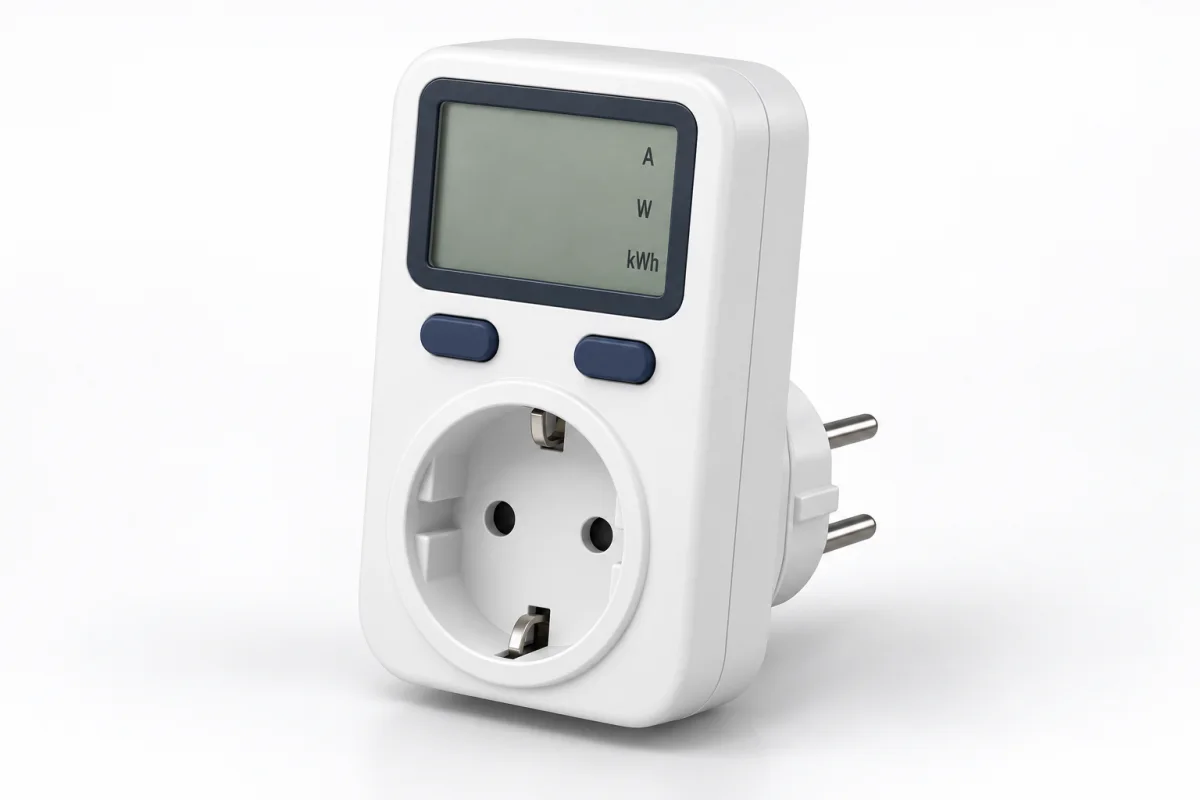
A suitable plug-in wattmeter can be enough to read one device’s consumption locally. For a C14-inlet computer, monitor or IT device, Smart Kablo offers measurement in the power cable and remote supply control. Choose by connection, measurement requirements and supported load.
What does a plug-in power meter measure?
A plug-in meter connects between a wall outlet and the equipment’s plug. You may also see it called a wattmeter socket, electricity usage monitor or energy-monitoring plug. Depending on the product, it displays amps, volts, instantaneous watts and accumulated kWh. Check which values are actually measured before buying.
Power metering and surge protection are different functions. Measuring consumption does not establish protection against voltage transients. For protection requirements, read the guide to overvoltage cutoff, surge protection and UPS backup.
To view measurements remotely, compare WiFi current monitoring and WiFi power and energy monitoring. For options beyond socket meters, use the energy meter selection guide.
Amps, watts and kWh: what is the difference?
| Reading | Meaning | Use |
|---|---|---|
| A · amps | Current drawn at that moment | Monitoring load current |
| V · volts | Supply voltage | Checking the voltage reading |
| W · watts | Instantaneous active power | Comparing idle and working power |
| kWh · kilowatt-hours | Energy consumed over time | Calculating daily consumption and electricity cost |
Use kWh to compare with billed energy; 1 kWh equals 1,000 Wh. Current alone is not enough to calculate cost. AC power factor also matters, so use measured active power or accumulated kWh. A single watt reading is not a whole-day average when the workload changes.
When is Smart Kablo an alternative?
Smart Kablo places the measurement and control module on the power cable. It can monitor working and standby consumption at a compatible C14-inlet desktop computer or manage the supply to suitable IT equipment remotely.
- Monitor electrical values: current, voltage, active power and energy records.
- Manage the supply remotely: switch the relay through Wi-Fi with authorised access.
- Integrate your own system: use the documented REST API for supported measurement and control functions.
Current models have a C13 equipment-side connector that plugs into a C14 equipment inlet. The continuous current limit is 5 A; the equipment’s nameplate current and startup load must also be suitable. Select Smart Kablo for this connection, rather than assuming compatibility with every household appliance plug.
For a grounded Schuko wall outlet, review the Schuko–C13 model and the mobile measurement screens.
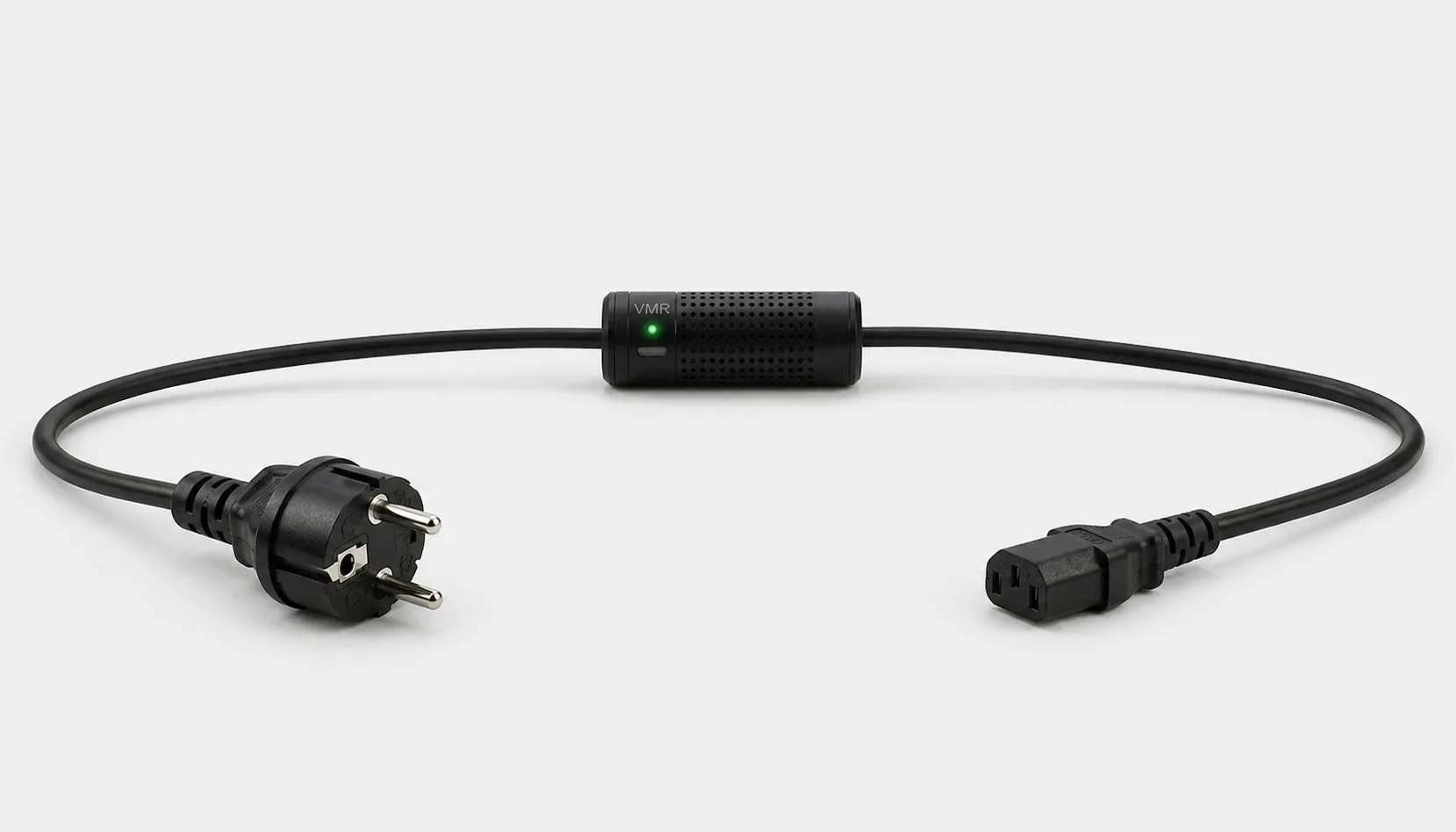
Plug-in wattmeter, smart plug or Smart Kablo?
| Option | Typical need | Selection checks |
|---|---|---|
| Plug-in wattmeter with display | Reading electrical values and accumulated energy beside the device | Plug fit, measured values, load limit and retained records |
| Energy-monitoring smart plug | App-based consumption monitoring; remote control and scheduling where supported | Energy-monitoring support, network requirements, history and load limit |
| Smart Kablo | Cable-level monitoring, remote relay control and REST API integration for compatible C14-inlet equipment | Source and equipment connections, 5 A continuous limit, startup load and network access |
Some smart plugs also offer remote switching. The practical choice is the equipment connection and how you will use the data. See the smart plug versus smart power cable comparison for more detail.
How to measure electricity use at an outlet
- Define the measurement boundary. Are you measuring only the computer, or the computer and monitor? Keep the same scope when comparing results.
- Check compatibility. The plug, equipment inlet, nameplate current and startup load must match the meter’s specification. Make connections with the supply isolated and follow the manufacturer’s instructions.
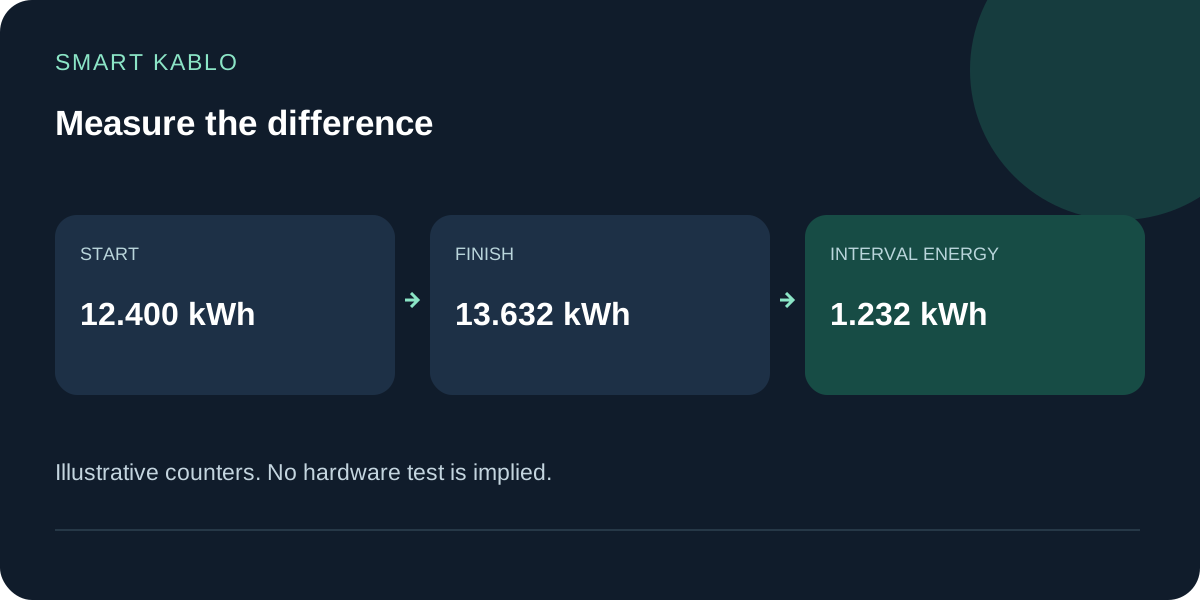
- Record the starting value. Note the time and kWh counter. Resetting the counter is optional.
- Measure normal use. A 24-hour period is a useful start for daily use. Include representative working, idle and off-but-connected periods.
- Subtract the first reading from the last. Read the counter at the same time the following day. Measure weekdays and weekends separately if their patterns differ.
For example, a starting counter of 12.400 kWh and a final reading of 13.632 kWh give 1.232 kWh for that interval. These are illustrative calculation values, not a product test.
Calculate electricity cost from measured energy
Energy used in kWh × your applicable electricity rate per kWh = energy cost for the measured period. Use your own tariff and check whether taxes and other charges are included.
Assume a computer averages 150 W for eight hours and 2 W for the remaining sixteen hours:
Thirty identical days would use 36.96 kWh. If usage varies, one day may not represent the whole month. A 750 W power supply label states its output capacity, not a constant 750 W input draw.
Measurement shows where energy is used; savings depend on the changes you make. In this example, the sixteen-hour standby period accounts for 0.032 kWh/day. Cutting the supply could affect that portion, not the whole day’s useful work. Include the controller’s own consumption when assessing net savings. For a fleet, use the after-hours office PC cost calculator.
Choose the correct source and equipment connection
Identify the equipment inlet and source outlet first. C13 is the cable connector that fits a C14 equipment inlet. Use the C13, C14, C19 and C20 connector guide if you are unsure.
- Grounded Schuko wall outlet: review Schuko–C13.
- C13 female PDU or UPS outlet: review C14–C13.
- C19 female PDU outlet: review C20–C13.
All these models require a compatible C14 equipment inlet and remain limited to 5 A continuous. Choosing a C20 input does not increase that limit. Do not assume direct compatibility with captive leads, C5, C7 or DC inputs, or select Smart Kablo for heaters and kettles.
Before cutting power to a computer or equipment writing data, shut down its operating system safely. Applying power through the relay does not guarantee that a PC will boot; this may depend on BIOS/UEFI settings. Read the remote PC startup guide.
Four mistakes that distort a consumption comparison
- Using the PSU rating as consumption. Capacity is not a constant input-power reading.
- Using volts and amps alone for active energy. AC power factor matters; use measured active watts or kWh.
- Treating a tiny difference as proven savings. Display resolution is not measurement accuracy. An independent accuracy percentage needs supporting evidence.
- Changing the workload between measurements. Compare matching equipment, similar work and equivalent intervals.
Plug-in power meter questions
Does every smart plug measure current and energy?
No. Some models only switch power. Check current, active power and kWh history support separately in the technical documentation.
Will a power meter lower my electricity bill?
A meter makes consumption visible. Savings may follow changes to runtime or unnecessary standby use; there is no fixed saving percentage.
Can Smart Kablo measure the whole home?
It measures the supply to the compatible equipment connected through it. It does not replace a utility meter or whole-installation measurement at a distribution board.
Should I choose a socket meter or Smart Kablo for my PC?
A suitable plug-in meter may be enough for local readings. For cable-level monitoring, remote supply control and integration at a C14-inlet PC, assess Smart Kablo against the connection and load requirements.