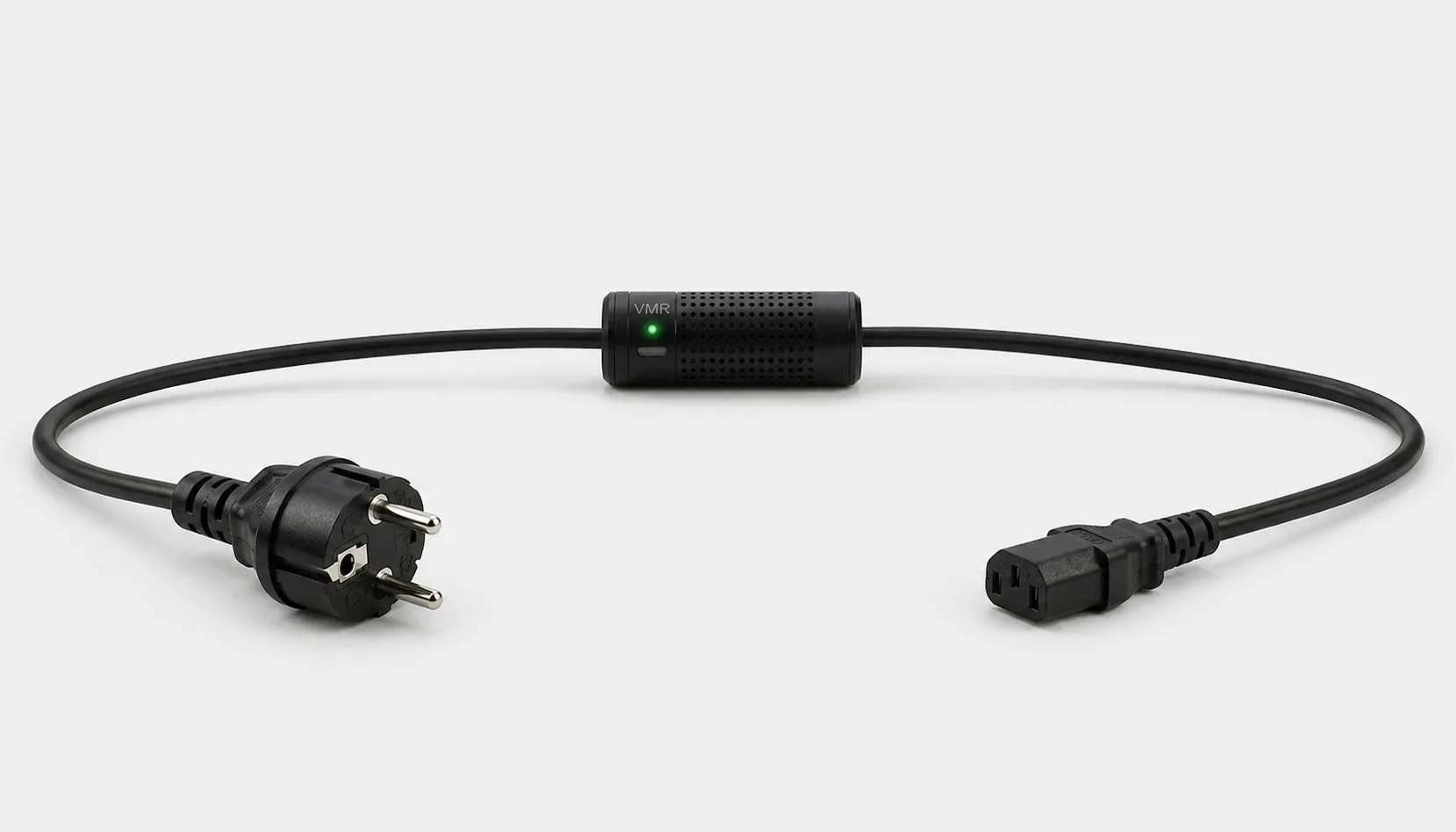
Before choosing a WiFi smart plug, check the equipment plug, load limit and remote-access requirements. Not every model measures energy, and not every appliance starts automatically when power is applied. Smart Kablo is an alternative for compatible C14-inlet equipment within its 5 A continuous-current limit, providing Wi-Fi monitoring and relay control through the power cable.
How does a WiFi smart plug work?
A Wi-Fi smart plug controls the electrical supply with a relay. An on or off command from the app reaches the product through its supported connection method. A plug showing “on” does not establish that the connected equipment is running: a television might enter standby, while a computer might still need its power button pressed.
Control away from home requires the product’s remote-access method to be working. A cloud-based model needs Wi-Fi and internet at the plug, internet on your phone and an authorised account. Bluetooth pairing during setup does not by itself provide access from outside the home. Support for schedules, voice assistants and other automation depends on the selected model.
A smart plug or control through the power cable?
Start with the power connection of the equipment you want to control. A table lamp with a captive mains lead and an office PC with a C14 inlet do not use the same equipment connection.
| Need | Solution to consider | What to check |
|---|---|---|
| Switch an appliance with a compatible plug | WiFi smart plug | Plug standard, load type and equipment behaviour when power returns |
| Manage C14-inlet equipment | Suitable Smart Kablo model | Source connection, 5 A continuous limit and startup load |
| Also track consumption | Energy-monitoring plug or compatible Smart Kablo | Measured values, historical records and access method |
The smart plug and smart power cable comparison explores the connections and applications in more detail.
When is Smart Kablo an alternative to a WiFi smart plug?
Schuko–C13 Smart Kablo is intended for compatible C14-inlet equipment supplied from a grounded Schuko wall socket. Its C13 equipment connector mates with the device’s C14 inlet. For a C13 female UPS or PDU outlet, consider the C14–C13 model.
Check the actual inlet when selecting a desktop PC, monitor or network device. The continuous-current limit is 5 A on current models; nameplate current and startup load must also be suitable. Do not assume direct compatibility with C5, C7 or DC inputs. These connection and load limits mean Smart Kablo is not a general-purpose WiFi socket for plugging in every household appliance.
Set up power control from your phone
- Confirm physical compatibility. Check the source outlet, equipment inlet and load limit. Make connections with power disconnected, following the product’s instructions.
- Complete nearby network setup. On supported Smart Kablo app and device versions, “Add via Bluetooth” finds a nearby device. Enable Bluetooth and the device-discovery permissions requested by the app.
- Save the Wi-Fi settings. The Smart Kablo quick-start guide specifies a 2.4 GHz network. Check its name and password; do not try to connect to a network offering only 5 GHz. For other plug brands, follow the requirements for that model.
- Link the device to your account. After the network connects, complete Cloud setup and account pairing. The device’s web-interface password and your Cloud account password are different credentials.
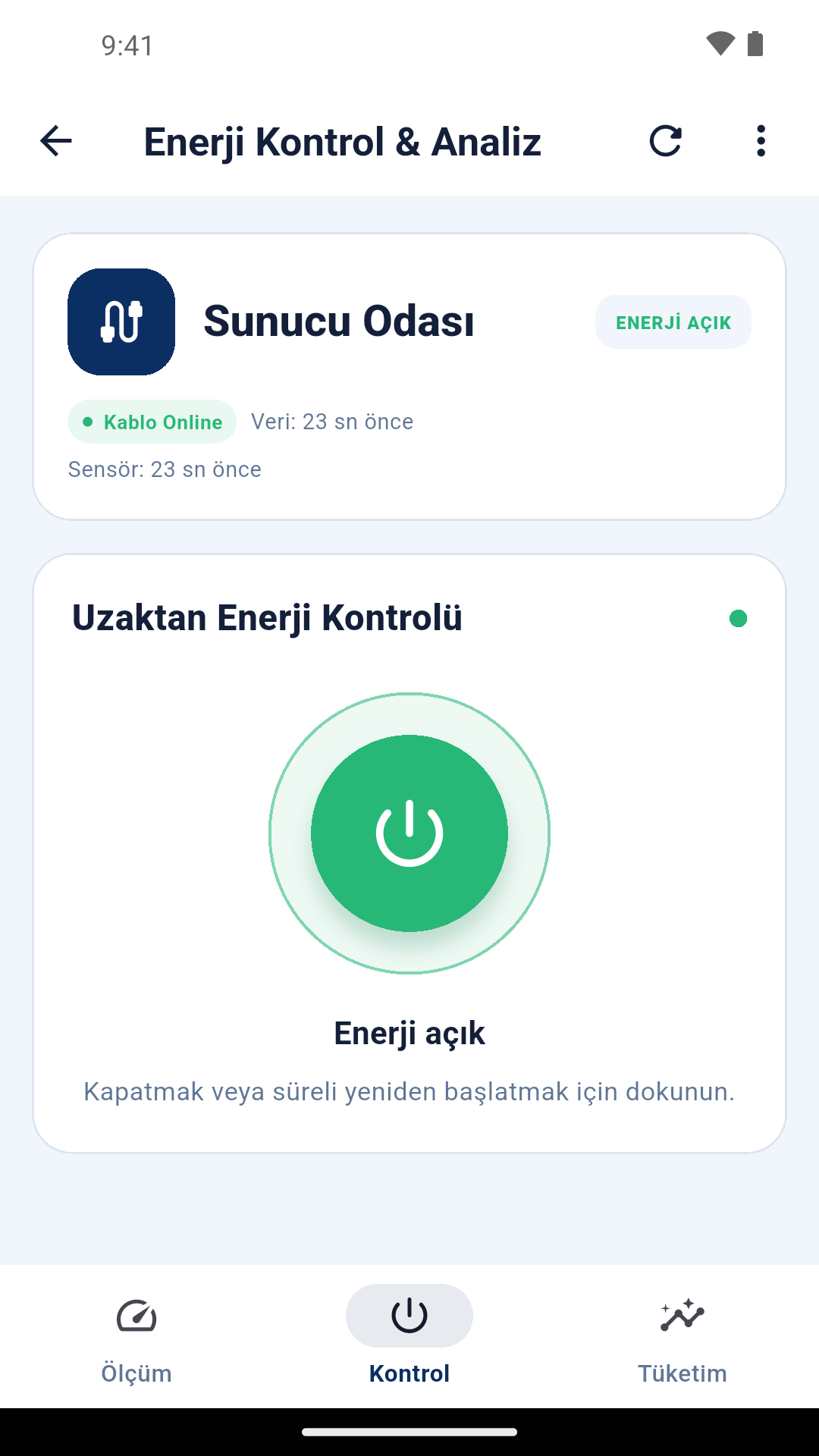
- Test the command on site. Give the equipment a recognisable name. Confirm that the app’s relay status corresponds to the equipment you intend to control, then test remote access using your phone’s mobile data.
Smart Kablo also offers AP setup through the setup network opened by the device. The steps are in the quick-start guide (Turkish). Joining the setup network and completing normal internet-based control are separate stages.
Where should you start if the WiFi smart plug will not connect?
Identify the stage that is failing: does the phone fail to find the device, does Wi-Fi connection fail, or does the app show it offline? A factory reset in every case may unnecessarily restart the whole setup process.
- Device not found: Check that it has power, that the phone is nearby and that the permissions needed for Bluetooth setup have been granted.
- Network not visible: Check coverage and the supported frequency band at the device’s location. A metal rack enclosure may weaken the connection.
- Wi-Fi connection fails: Verify the network name, password and whether the device obtains an IP address from the router. Update its network settings if the router or Wi-Fi password has changed.
- Wi-Fi connected but Cloud offline: Check internet access, the Cloud setting and pairing to the correct account. A Wi-Fi connection alone does not prove that the server is reachable.
A captive sign-in page or restrictions on a corporate guest network need separate assessment. Before contacting support, note the device model, firmware version and exact error message.
Let the equipment finish its work before switching power off
A WiFi plug interrupts the supply; it does not save computer files or shut down an operating system. For a PC, NAS or equipment writing data, complete the normal software shutdown first. The remote PC shutdown guide explains the sequence. Restoring power also does not guarantee that the device will start automatically.
Think through the control path before switching off a router, switch or access point. If that same equipment carries your internet connection, turning it off may also remove your remote-access route. If you intend to use a function such as automatic power restoration after a delay, verify its support and behaviour on site.
For heaters, kettles or motor loads, do not rely only on the watt figure on the packaging. The load type, inrush current and manufacturer’s conditions for remote use must all be suitable. Do not exceed Smart Kablo’s 5 A continuous limit with high-power household appliances.
Automatic backup supply with Smart ATS
With two Smart Kablo units and a Smart ATS transfer box, the Smart Kablo ATS feature lets you select the master cable. The cables communicate wirelessly with each other, and ATS transfer requires neither internet nor Cloud. If the active source loses power, actual power-status information from the collecting box is also evaluated, and the backup engages within 3 seconds.
Does a WiFi smart plug also measure electricity consumption?
Energy measurement is a separate model feature. A WiFi plug that only switches power may have no watt reading or kWh record. Use the WiFi current meter guide for amp monitoring, or the WiFi power meter guide for consumption history and cost calculations. Smart Kablo combines measurement and supply control on compatible equipment.
WiFi smart plug FAQs
Does my phone always need to use the same Wi-Fi network?
Initial setup requirements depend on the model. During cloud-based remote use, your phone can use a different internet connection, provided the product is online and your account is authorised.
Can I switch power remotely if the internet goes down?
Commands cannot be sent through the cloud connection. Local control, physical buttons and saved schedules behave differently across products; verify offline support separately.
Will the plug turn on automatically after a power cut?
Whether it stays off, turns on or restores the previous state depends on the model and settings. Check before buying, then test behaviour suitable for the connected equipment after setup. The app’s last saved record is not a substitute for the actual relay state after an outage.
Does a WiFi smart plug make an ordinary appliance smart?
It makes the supply controllable, not every function of the appliance. Selecting a programme, starting a print or signing into a computer requires a separate control method.