Electrical measurements
View voltage, current, active power, power factor, frequency and energy consumption. Check whether the device is online and when its measurements were updated.
Home / Documentation / Android app
Monitor the electricity use of compatible Smart Kablo devices from your phone. Access live readings, consumption charts and remote supply control with your Smart Cloud account.
Device monitoring and control require Smart Kablo hardware, a Smart Cloud account and an internet connection.
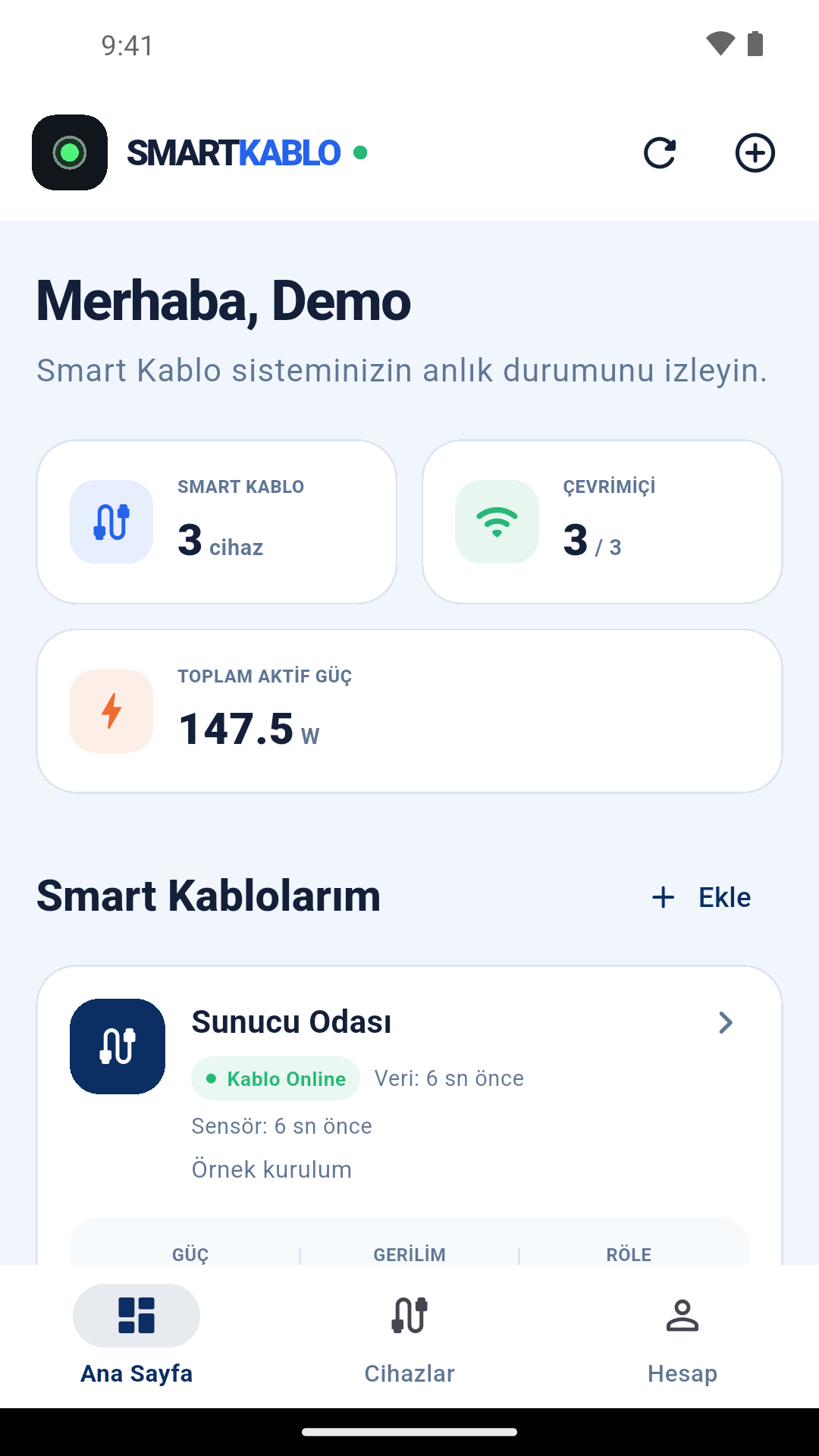
Follow the devices linked to your account in one app. Available readings depend on the installed hardware and how recently data was received.
View voltage, current, active power, power factor, frequency and energy consumption. Check whether the device is online and when its measurements were updated.
Review available measurement and consumption graphs for the past 24 hours, 7 days and 30 days. Evaluate after-hours use against the recorded data.
Switch the connected equipment’s supply on or off. With a timed interruption, restore power after the selected duration and follow the command status.
Enter the 12-character pairing code or scan the device QR code. Use names and descriptions to distinguish your connections.
If a compatible Smart Sensor is connected and accepted, view available environmental readings such as temperature, humidity, air quality, CO₂ and battery information. The sensor is required separately.
Create a Smart Cloud account, manage your password or reset it using an email code. Open support, privacy and account deletion options from My Account.
The actual Android interface is shown in Turkish with demonstration devices and sample readings. The consumption and device information do not belong to a real customer.
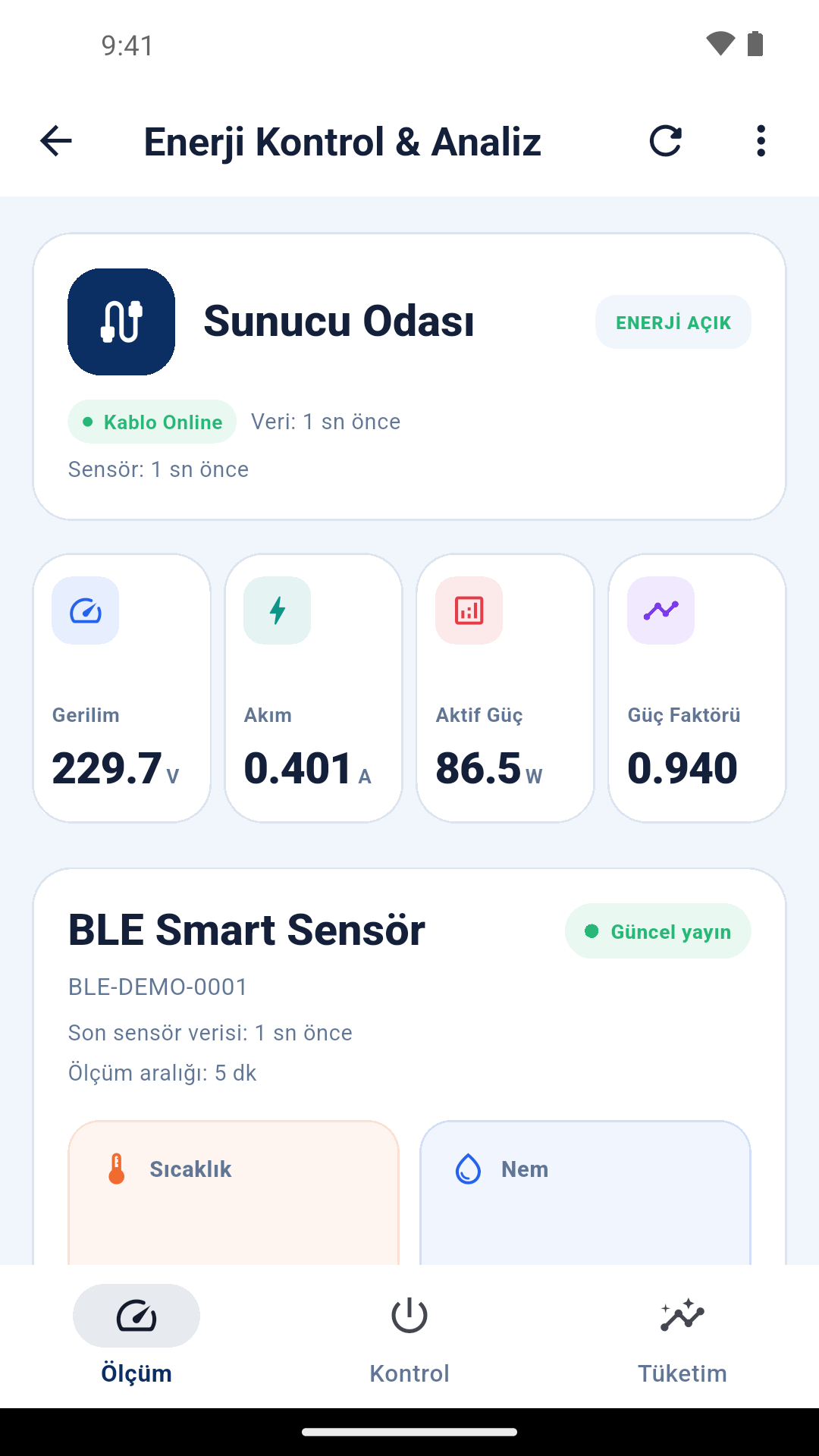
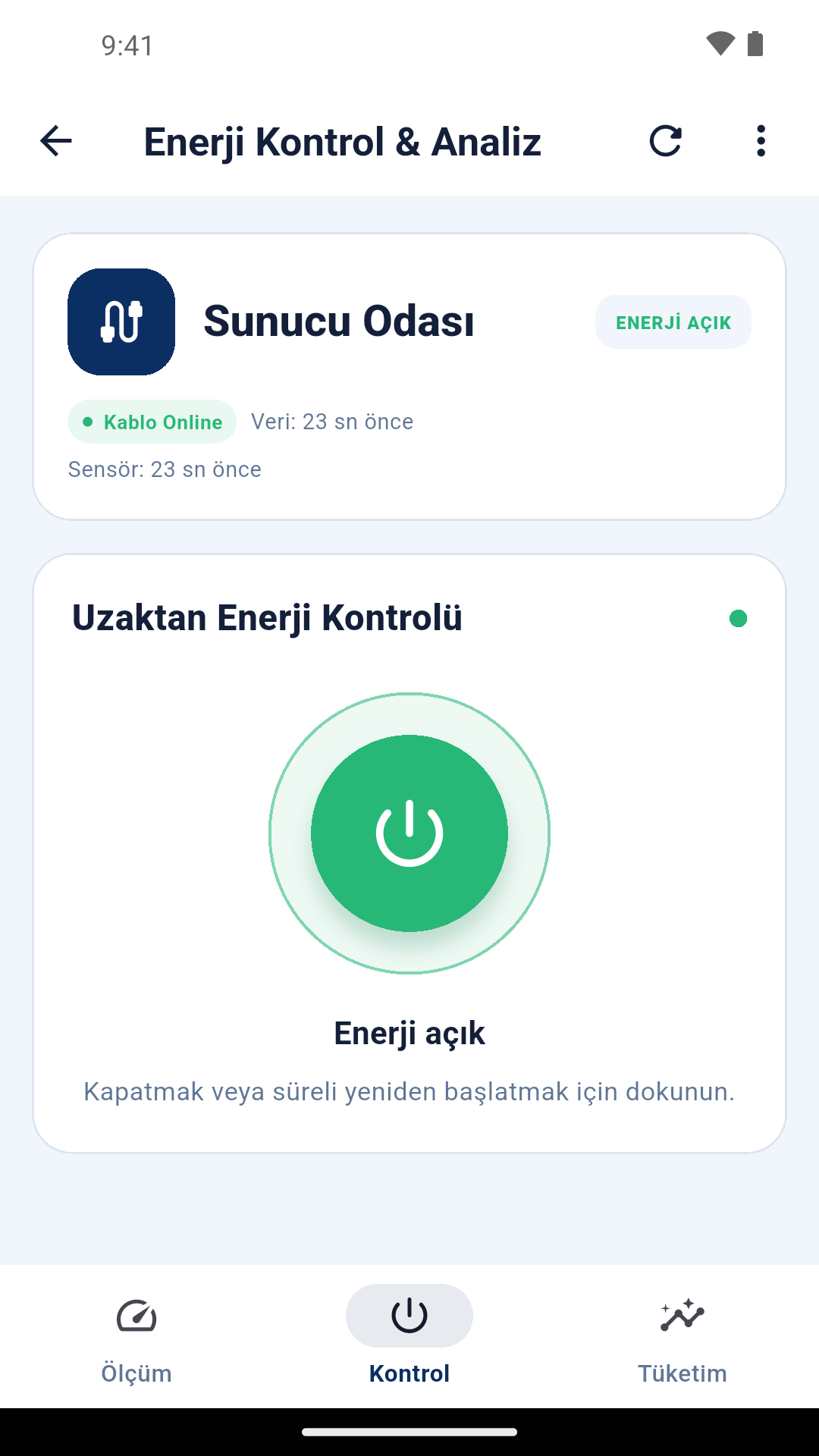
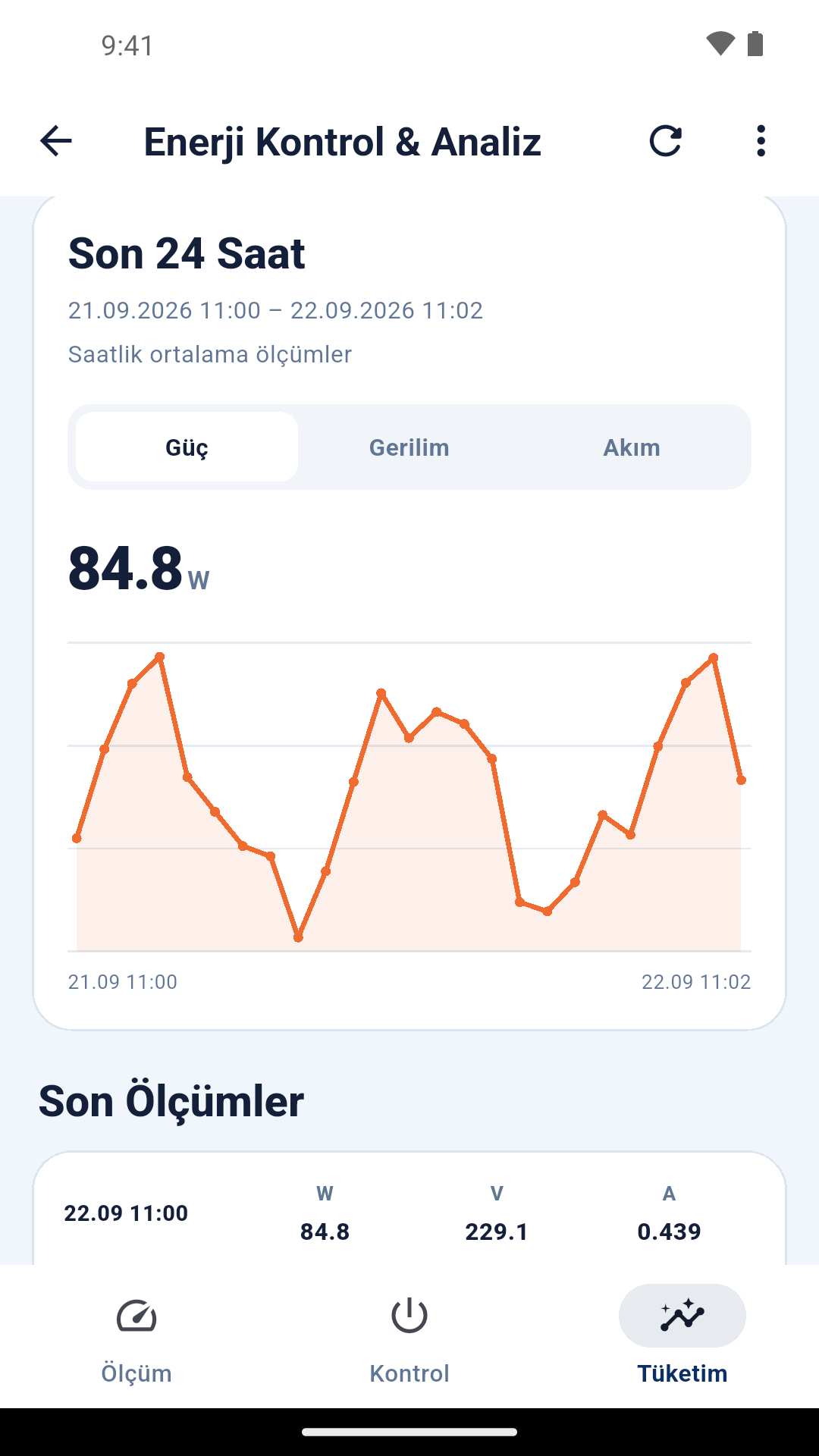
Compatible Smart Kablo hardware performs the measurements. The app displays those readings and sends relay commands. Device monitoring and remote control require Smart Kablo hardware, a Smart Cloud account and an internet connection.
You can energise the computer by switching on the Smart Kablo relay. Automatic PC startup requires suitable hardware support and an appropriate BIOS/UEFI AC Power Recovery setting. Shut down safely before cutting the supply. Read the remote PC startup guide.
Smart Kablo electrical measurements and relay control do not require a Smart Sensor. Environmental readings require a separately connected and accepted compatible Smart Sensor.
The app’s My Account screen contains the account deletion option. The account deletion page explains the web request process and scope; the privacy policy explains data processing. Account deletion · Privacy policy
Already have a device? Download the Android app. For a new installation, choose the model for your connection or contact technical sales.
C14, C20 and Schuko product images, connection diagrams and mobile energy data.